
8 Visually Striking Grid Patterns
And Why You Need One.
Humans are super visual creatures. That’s why we love social media platforms like Tiktok and Instagram so much. There’s infinite room for creativity; including in the colors you use. Your grid pattern is the layout of the posts a visitor sees when they view your profile. It’s all your posts, laid out side by side.
You can make your grid unique by using a pattern with your brand colors, whether you have two colors or six.
SMPL Design Co. has a primary color of navy, a secondary of light blue, and an accent of green. We use those colors and our neutral gray and black to create content.
If you don’t have enough official brand colors, consider making more. This may not be possible for some businesses, but if you happen to be in charge of both the company and content creation (like me!), then develop more colors. Consider using a color palette tool like Coolors. Just input your brand colors, use the lock tool, and click generate for as long as it takes to find colors that fit into your color palette.
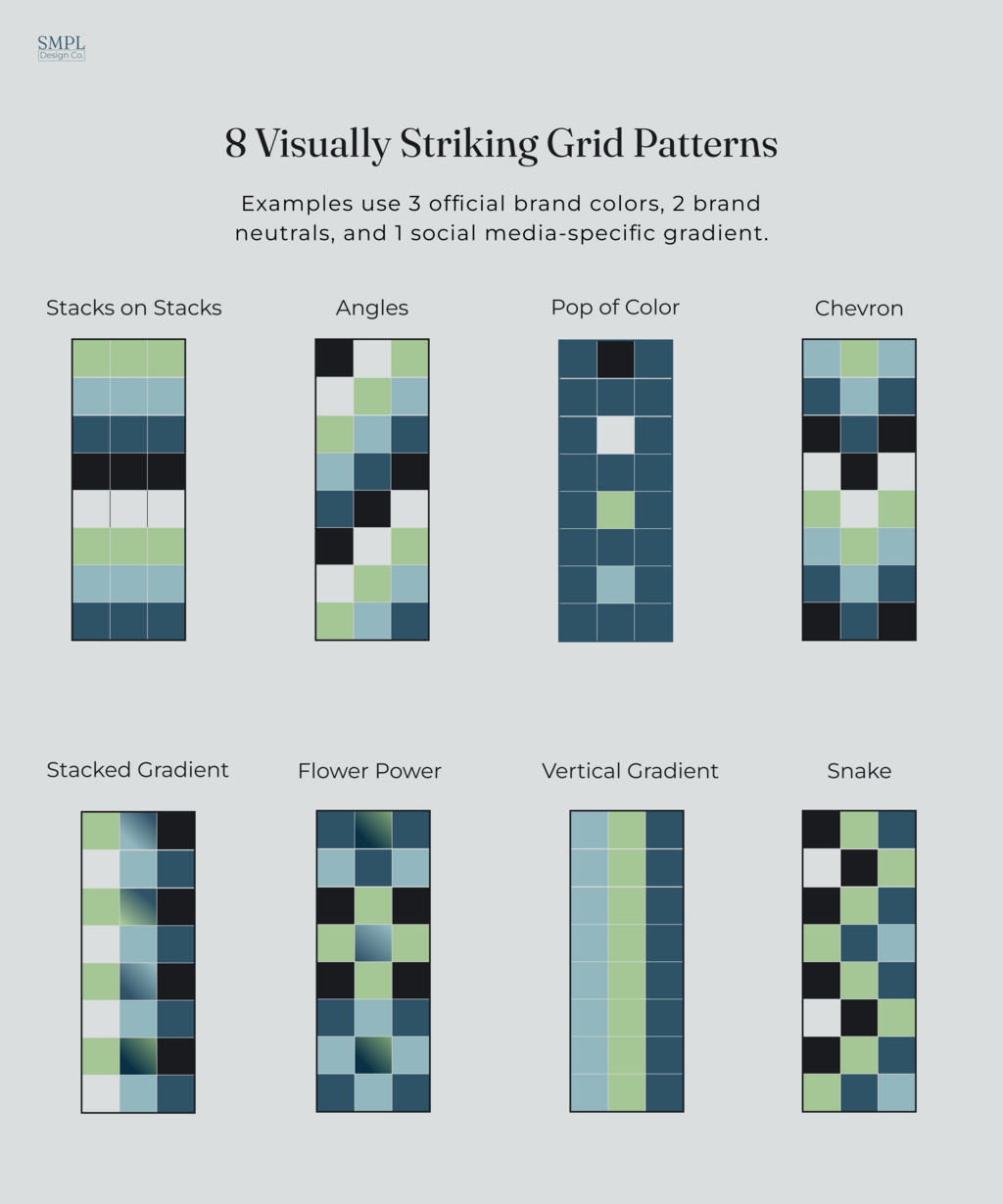
A great way to keep this pattern memorable and organized is to “theme” each color, in accordance with your posting schedule. For example, if you post 6 times a week and use the “Snake” pattern, each Monday could be light blue and have the theme of “Motivational Monday”. Take a look at the @olivia_smpl Instagram. Each color has a different theme, which is most apparent in the black posts. Almost all of these are titled “Don’t Force it, Fix it!” and usually follow a similar layout.
My other color themes may not be as apparent, but they exist. My navy blue posts usually focus on design, while my gray posts switch between marketing and design how-to’s. These themes are more for me than for my audience. My audience may not pick up on the themes, but using themes attached to colors helps me keep my content fresh and different with each post.
If you make reels or Tiktoks, you can still make a visually appealing grid. Make thumbnails that match the general color scheme of your grid. You can also put text overlays on the thumbnails that use a couple words to describe the reel. This will allow users to navigate your page even easier and quickly find the content that interests them.
Text overlays are made especially easy on Tiktok with the text stickers, under the “Edit Cover” option before posting. Just make sure you have some rhyme and reason to which stickers you choose each time, whether you use a different sticker per color or one sticker all around.


